
Where do my files live?
Shared files and Cloud PC data stay on the Gleezor host and storage you choose.
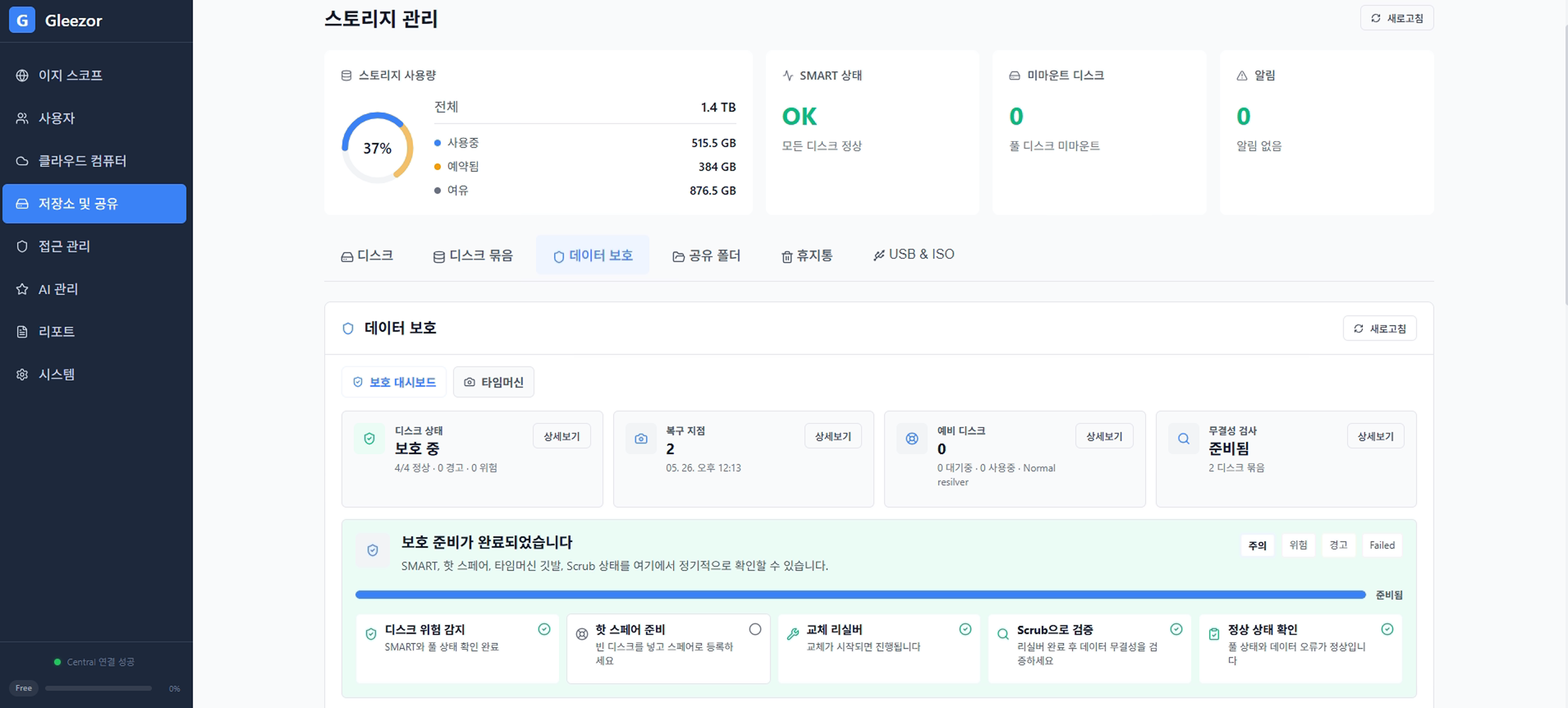
Manage storage location, sign-in, folder access, and recovery status in one place. The console shows what needs attention first.
Start with the basics
Shared files and Cloud PC data stay on the Gleezor host and storage you choose.
Account roles and folder permissions are set separately, so people see only what they need.
Authenticator or email two-step verification is available, and repeated sign-in attempts are limited.
Restore from the recycle bin or configured snapshots and backups, with protection status shown in the console.
Answers use only files the employee can already open. Korean personal identifiers are masked automatically, and when masking fails the request is not sent at all. Sensitive files can be pinned to in-house processing.
Support starts only after on-screen approval, sessions are recorded, and the work record is stored so it cannot be edited or deleted.
Technical controls
Authentication, authorization, releases, and remote support stop when required verification fails.
Argon2id password hashing, RFC 6238 TOTP, and HttpOnly Secure cookies.
State-changing requests pass CSRF checks, and failed authentication or authorization is denied.
Updates and licenses are applied only after signature verification and stop when verification fails.
Administrative actions are recorded, and remote support starts only after user consent with a visible session indicator.
What Gleezor handles
What you choose
Choose storage, access, and backup coverage first.