
Find documents
Help employees find the right document without digging through folders.
AI assistance grounded in your own documents
Answer questions from approved company documents and prepare first drafts for recurring work such as expense forms, reports, and meeting notes. Employees review the result and keep final approval and important decisions in human hands. Glezz AI is not sold separately — it is a component included in Gleezor Enterprise and NAS & AI.
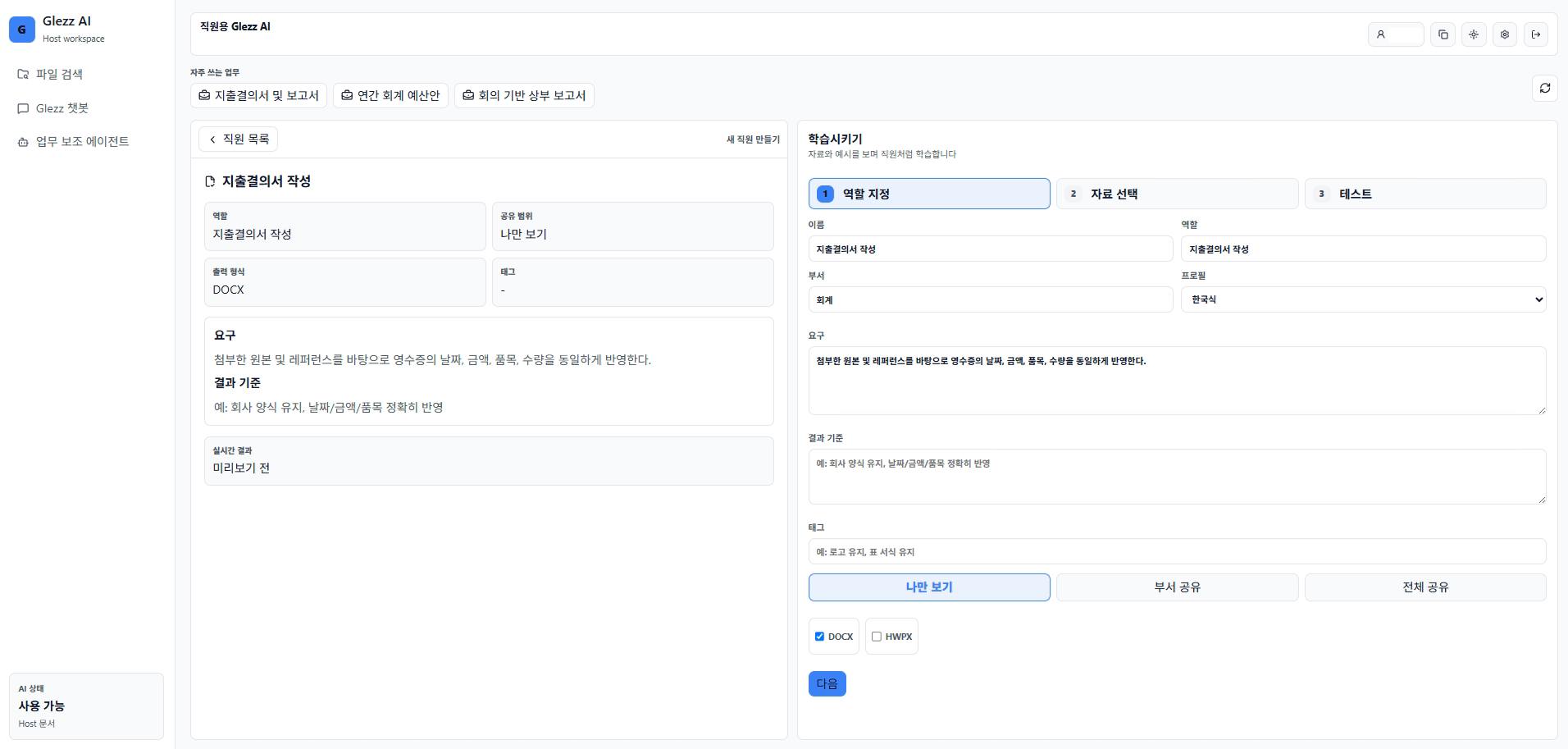
Choose the work type and describe the request. AI prepares the draft, and the employee checks important items such as amount, date, and names.
Help employees find the right document without digging through folders.
Create first drafts from common templates and employee requests.
Employees review AI output and edit only what needs correction.
Files an employee cannot open are never used in an answer, and revoking access applies immediately.
Instead of complex settings, enter what document to create and what to include. AI drafts from that request.
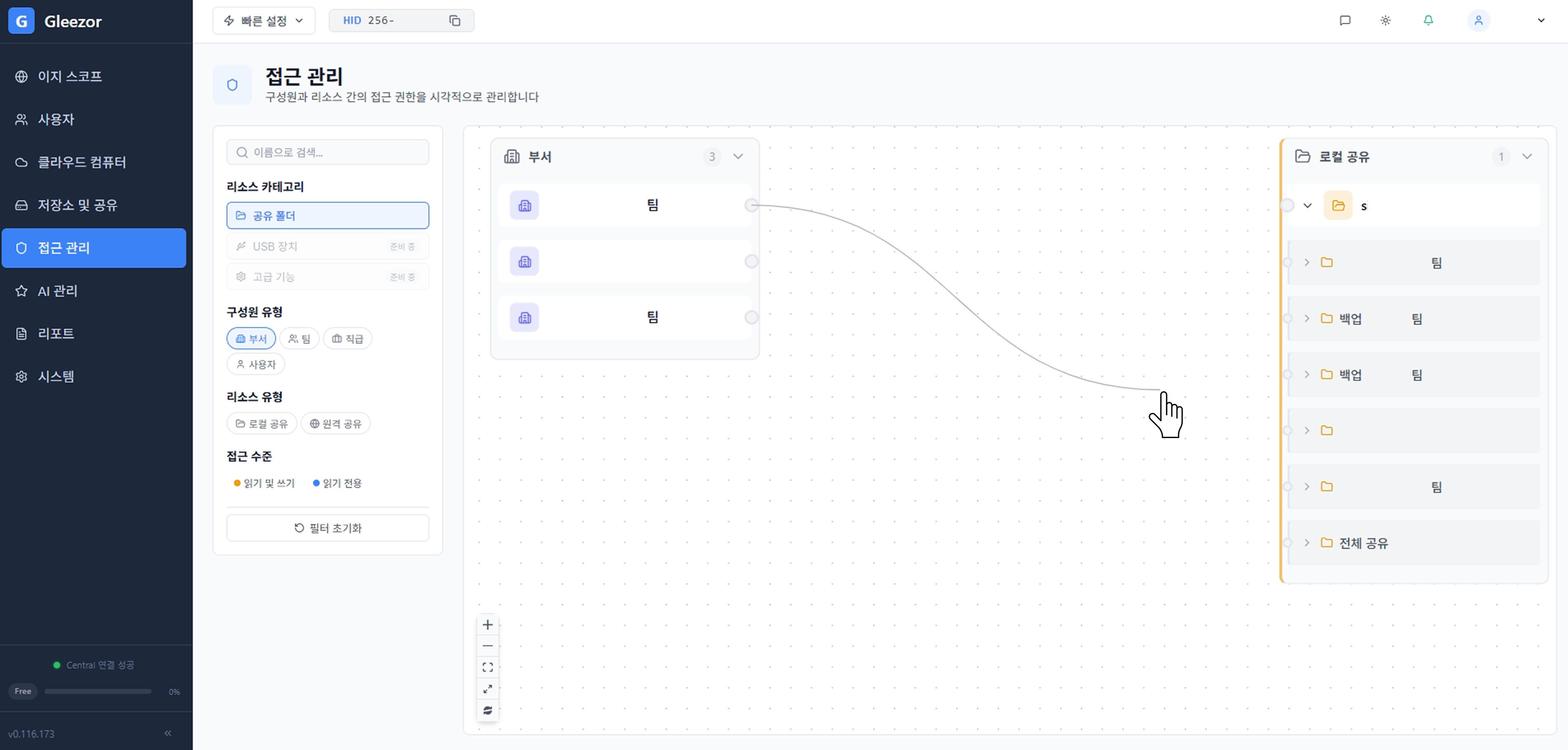
Not every file is shown to AI. Reference folders are separated by department or task, and unauthorized files stay out of answers.
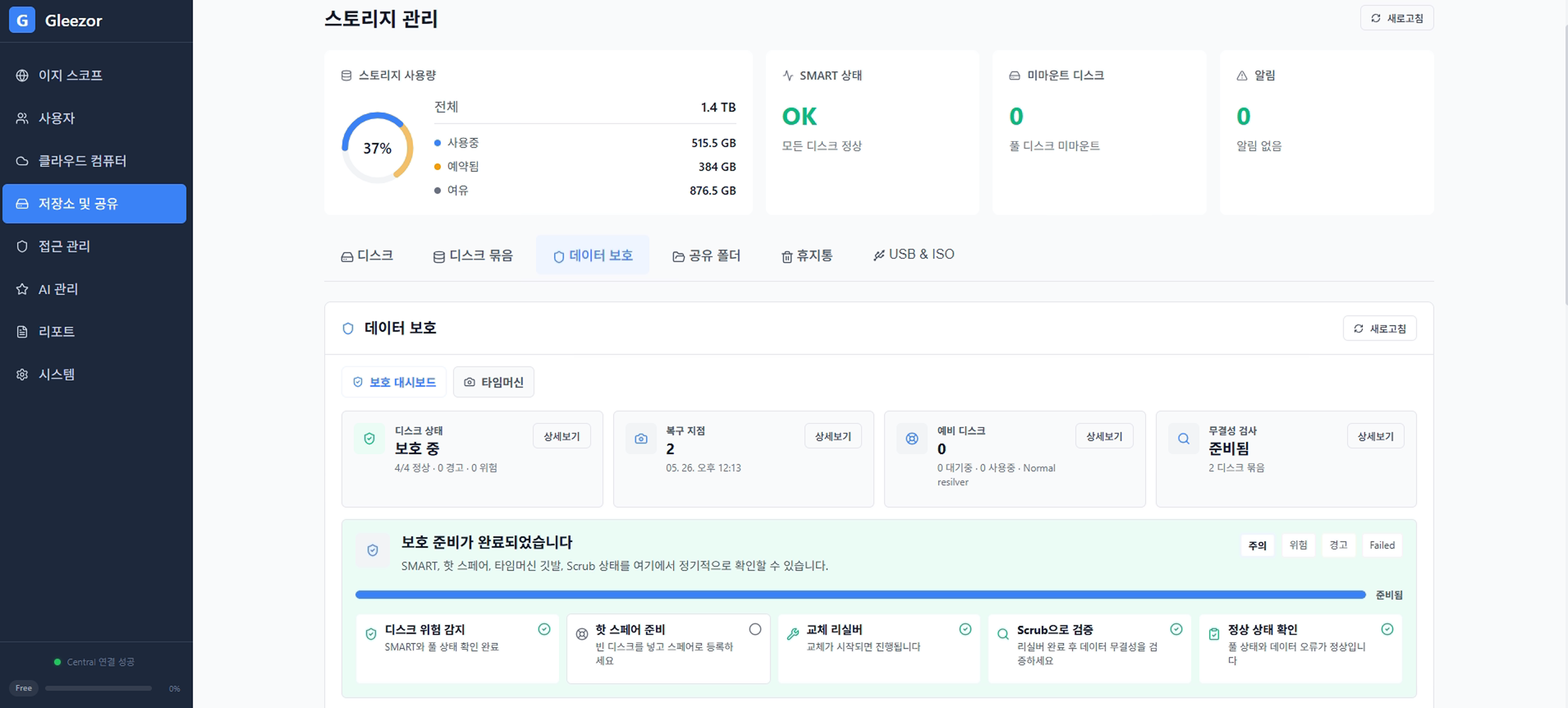
Company files used by AI are still important assets. Storage, protection status, and recovery readiness are reviewed together.
Start with recurring documents such as expense reports, approval requests, and meeting reports.
Choose which folders, documents, and templates AI may reference. Unauthorized files are excluded from answers.
When the documents do not support an answer, it says so instead of guessing.
AI prepares the draft quickly, while employees confirm important fields such as amounts, dates, and customer names.
Upload receipts and AI prepares an expense report draft with dates, amounts, and items. Employees check what is missing.
Find common questions about leave, travel, and purchasing from approved company documents, with managed reference scope.
Download the installer, start with the features you need, and expand when ready.
Download installerGleezor is two products plus two components inside them. Check that you are in the right place.
Offices with 10–49 people that want setup and operations handled for them
Files, backup, employee workspaces, and the AI staff on one company server. We handle hardware, installation, training, and operations — no computer knowledge needed.
Start: Contact us, then decide after a trial
Individuals and SOHO users comfortable installing it themselves
File storage, backup, and document AI you install on your own computer. Free to start, with hands-on settings.
Start: Free download, self-install
Employees at companies using Gleezor
The Windows app that opens your work screen. Not sold separately — it comes with the products above.
Start: Free download, sign in with your company account
Users of both products
The in-house AI staff that answers from permitted documents and drafts recurring paperwork. Included in both products, not sold separately.
Start: Start with Enterprise or NAS & AI